DJI Account Binding Explained: How Buying a Used DJI Drone Can Leave You Grounded
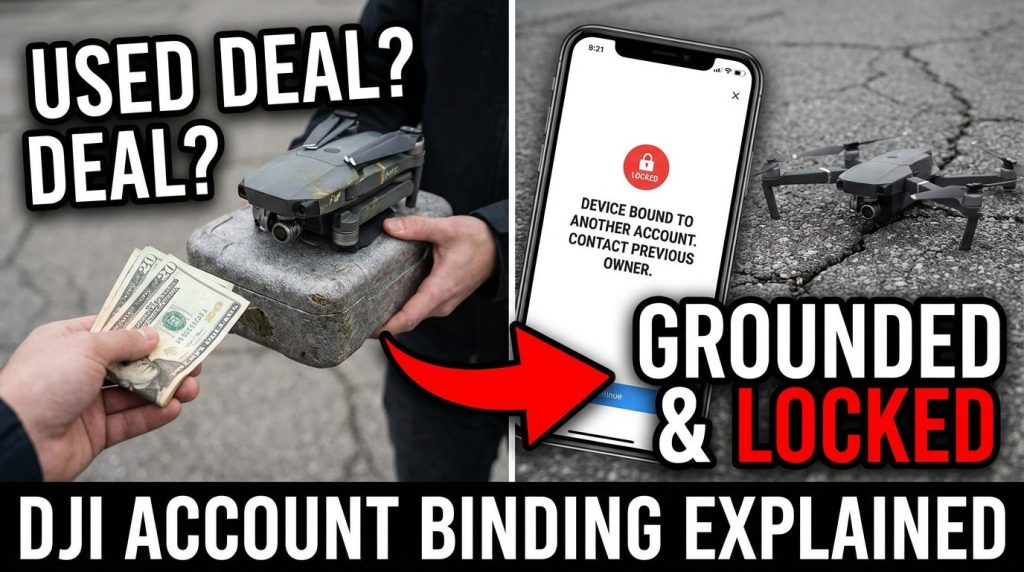
Buying a second-hand DJI drone can feel like a steal. Lower price, solid hardware, and the promise of taking flight without paying full retail. But for many buyers, that excitement ends the moment the drone powers on and displays a message that stops everything cold: “This aircraft is bound to another account.”
No takeoff. No camera. No firmware access. No flying.
This exact scenario happens more often than most people realize, especially with drones purchased from pawn shops, online marketplaces, classifieds, or even well-meaning private sellers who don’t fully understand DJI’s account system. DJI account binding is one of the most misunderstood and least explained parts of owning a DJI drone, yet it has the power to lock you out of hardware you legally purchased, completely.
This article exists so you don’t learn this lesson the hard way.
What DJI Account Binding Actually Is
DJI account binding is a security feature that links a specific DJI drone to a specific DJI user account. Once bound, that aircraft becomes digitally tied to the original owner’s account. This binding is not cosmetic or optional. It is enforced at the firmware and server levels.
When a drone is bound, critical functions are restricted unless the same DJI account that originally activated and bound the drone is logged in. These restrictions can include flight limitations, inability to unlock geofencing zones, blocked firmware updates, and in many cases, complete flight lockout.
The purpose of account binding is theft prevention and accountability. If a drone is stolen, the thief cannot simply reset it and fly away. However, this system also creates serious problems for legitimate buyers in the second-hand market when proper unbinding does not occur.
Why DJI Introduced Account Binding
DJI introduced account binding to combat theft, fraud, and misuse of drones. High-value drones were being stolen and resold with ease. Account binding changed that by making a stolen drone far less useful without the original owner’s credentials.
It also allows DJI to enforce safety features, geofencing compliance, and pilot accountability. When a drone is bound, DJI can associate flight activity with a specific account. This supports airspace compliance and helps discourage reckless or illegal flying.
While these goals make sense, the system assumes that users understand how binding works and how to transfer ownership properly. In reality, most sellers don’t, and many buyers have no idea this system even exists until it’s too late.
Which Drones Use DJI Account Binding
Most modern DJI drones are subject to DJI account binding. This includes consumer, prosumer, and professional models.
Common affected models include Mini series drones, Air series drones, Mavic series drones, and many enterprise models. Binding typically occurs during initial activation using the DJI Fly or DJI GO app.
Once activated and bound, the drone remembers that account even after resets, firmware changes, or controller swaps.
This means that simply factory resetting a DJI drone does not remove account binding.
That is one of the most dangerous misconceptions in the used drone market.
What Happens When You Buy a Bound DJI Drone
When you purchase a DJI drone that is still bound to another account, several things can happen depending on the model and firmware state.
In some cases, the drone will not allow takeoff at all. In others, it may allow limited flight but block advanced features such as unlocking restricted airspace, updating firmware, pairing new controllers, or accessing full camera settings.
You may also see persistent warnings stating that the aircraft is bound to another account and that functionality is restricted.
Even worse, DJI customer support will not unbind the drone for you unless the original owner initiates the process. Proof of purchase alone is not enough.
From DJI’s perspective, ownership of the hardware does not equal ownership of the account binding.
Why Pawn Shops and Resellers Often Sell Bound Drones
Pawn shops, thrift stores, and general electronics resellers often lack the technical knowledge to properly vet DJI drones. They may check that the drone powers on and looks intact, but they rarely log into the DJI app, attempt activation, or verify binding status.
Many sellers also assume that resetting the drone removes all previous data. This is true for phones and laptops, but not for DJI drones.
As a result, bound drones regularly end up on shelves and marketplaces labelled as “used but working,” even though they are functionally locked.
By the time the buyer discovers the problem, the return window may be closed, or the original owner may be unreachable.
Why DJI Will Not Help You Unbind It
This is the hardest pill to swallow for many buyers.
DJI will not unbind a drone without authorization from the account that originally bound it. Even if you provide receipts, serial numbers, or proof of purchase, DJI will still refuse.
From their standpoint, allowing anyone to unbind a drone based on proof of purchase would undermine the entire theft-prevention system. A stolen drone could be resold with a fake receipt and reclaimed.
As frustrating as it is, DJI’s policy is consistent and firm.
If you cannot contact the original owner, the drone may be permanently locked.
Common Myths About DJI Account Binding
One of the biggest myths is that a factory reset removes binding. It does not.
Another common misconception is that pairing a new controller removes binding. It does not.
Some believe that updating firmware or using third-party software can bypass binding. This is false and often leads to bricked drones.
Others assume DJI can override the binding if you escalate the issue enough. They cannot and will not.
Understanding these myths upfront can save you time, money, and stress.
How to Check If a DJI Drone Is Bound Before Buying
The only reliable way to check binding status is through the DJI app.
The seller should power on the drone, connect it to a controller or compatible device, open the DJI Fly or DJI GO app, and attempt to log in with a different account. If the drone prompts for the original account or displays binding warnings, it is still bound.
If the seller cannot demonstrate this process, do not buy the drone.
Serial numbers, visual inspection, and powering on alone are not enough.
What a Proper DJI Ownership Transfer Looks Like
A legitimate transfer of a DJI drone requires action from the seller.
The original owner must log into their DJI account, navigate to the device management section, and manually unbind the aircraft from their account. Only after this step is completed can a new owner bind the drone to their own account.
This process must happen before or during the sale.
If the seller claims they already unbound it but cannot demonstrate activation with a new account, assume it is still bound.
Why “I Forgot My Login” Is a Red Flag
Many sellers say they forgot their DJI login details. While this may be true, it creates a serious problem for the buyer.
If the seller cannot access their account, they cannot unbind the drone. DJI will not do it for them without account recovery.
Buying a drone under these circumstances is extremely risky and should be avoided entirely.
What Happens If the Original Owner Is Deceased or Unreachable
This is one of the most tragic scenarios. If the original owner is deceased or completely unreachable, the drone may be permanently locked.
DJI does not currently offer an inheritance or forced transfer process for consumer drones. Without account access, the binding remains.
This makes second-hand purchases from estates or abandoned storage units especially risky.
Legal Ownership vs Digital Ownership
One of the most important concepts to understand is the difference between legal ownership and digital control.
You may legally own the physical drone, but DJI controls the software environment. The account binding system enforces digital ownership regardless of physical possession.
This is similar to locked smartphones or DRM-protected hardware.
Understanding this distinction is crucial when evaluating used DJI equipment.
How to Protect Yourself When Buying Used DJI Drones
Always meet in person when possible.
Always require the seller to demonstrate unbinding in real time.
Always log into the DJI app with your own account before completing the purchase.
Never rely on promises, screenshots, or “I’ll unbind it later.”
If buying online, insist on video proof showing account removal and fresh activation.
If a deal feels rushed or evasive, walk away.
When Buying Used Is Still Worth It
Buying used DJI drones can still be worthwhile if done correctly. Many sellers are legitimate and simply upgrading their equipment.
The key is education and verification.
When both parties understand account binding and complete the transfer properly, there are no issues.
Problems arise only when binding is ignored or misunderstood.
Why This Matters More Than Ever
As drones become more regulated, digitally controlled, and integrated with airspace systems, account-level enforcement will only increase.
Future DJI updates may further restrict bound drones, making unbinding even more critical.
Understanding this system now protects your investment and keeps you flying.
Final Thoughts: DJI Account Binding
Getting burned by a bound DJI drone is frustrating, expensive, and avoidable. It turns excitement into regret and leaves you holding hardware you cannot use.
This blog exists so you don’t repeat that mistake.
If you are buying a used DJI drone, treat account binding as seriously as battery health or crash history. Without proper unbinding, none of the rest matters.
Education is the difference between flying and being grounded.
And when it comes to DJI drones, account binding is not a small detail. It is the gatekeeper to everything.